1
Preparation
After payment you receive an activation key, a link to this guide and a link to the loader. Complete every step below before you download and launch the loader — most failed injections are caused by a skipped step here.
1
Completely disable Windows Defender and antiviruses
- 1Turn off Real-time protection in Windows Security
- 2Recommended: disable Defender permanently with Defender Control — archive password:
sordum - 3Uninstall any third-party antivirus (Kaspersky, Avast, etc.)
- 4Disable Reputation-based protection (search it in the Start menu and turn off every option)
Also remove anti-cheats
Riot Vanguard and FACEIT AC block the software. Remove them via Add or remove programs.
2
NVIDIA GPU — enable the GeForce Experience overlay
- 1Install NVIDIA GeForce Experience
- 2Open Settings → In-game overlay and switch it On
3
AMD GPU — set up Steelseries Sonar
- 1Install Steelseries GG and create an account
- 2Go to Settings → General and enable Sonar
- 3Go to Settings → Sonar → Shortcuts → Master
- 4Bind F7 to Volume – Up
F7 is your inject key
On AMD you press F7 in-game to inject after the loader closes.
4
Check which overlay your game requires
| Game | Required overlay |
|---|---|
| Rainbow Six Siege | Steelseries overlay only (even on NVIDIA) |
| Apex Legends | Medal.tv or Discord overlay |
| Delta Force | Medal.tv or Discord overlay |
| ARC Raiders | Medal.tv or Discord overlay + hardware acceleration |
| Rust | Medal.tv or Discord overlay + hardware acceleration |
| Escape from Tarkov | NVIDIA overlay (inject with F1 in main menu) |
Discord Legacy Overlay
If you use the Discord overlay, Legacy Overlay must be disabled in Discord settings.
5
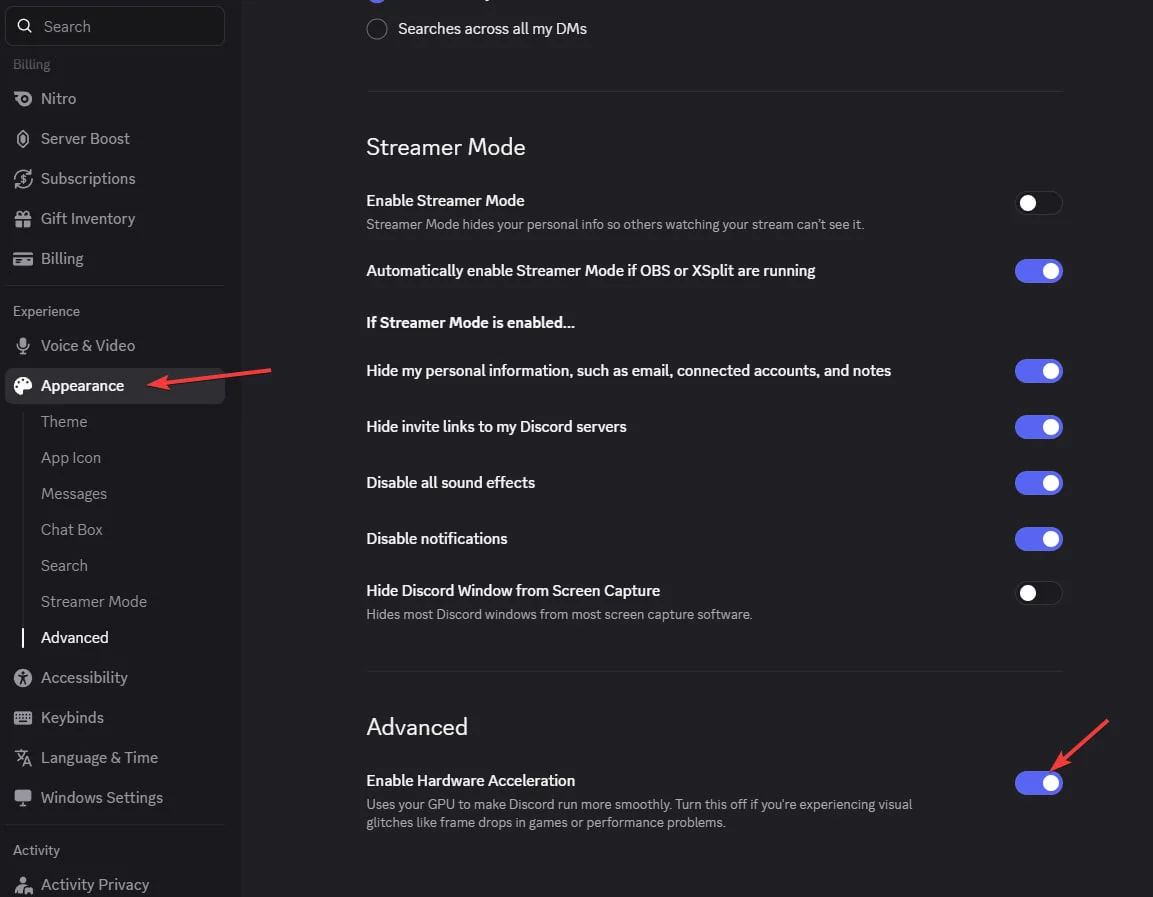
Enable hardware acceleration in Discord
Required for Ancient Rust and Ancient ARC Raiders: open Discord → Settings → Advanced and turn on Hardware Acceleration.
6
Set the game to Borderless or Windowed
Enter the game once without the cheat and change the screen mode. Software launched through the NVIDIA overlay will not work in exclusive Full Screen.